INTRODUCTION
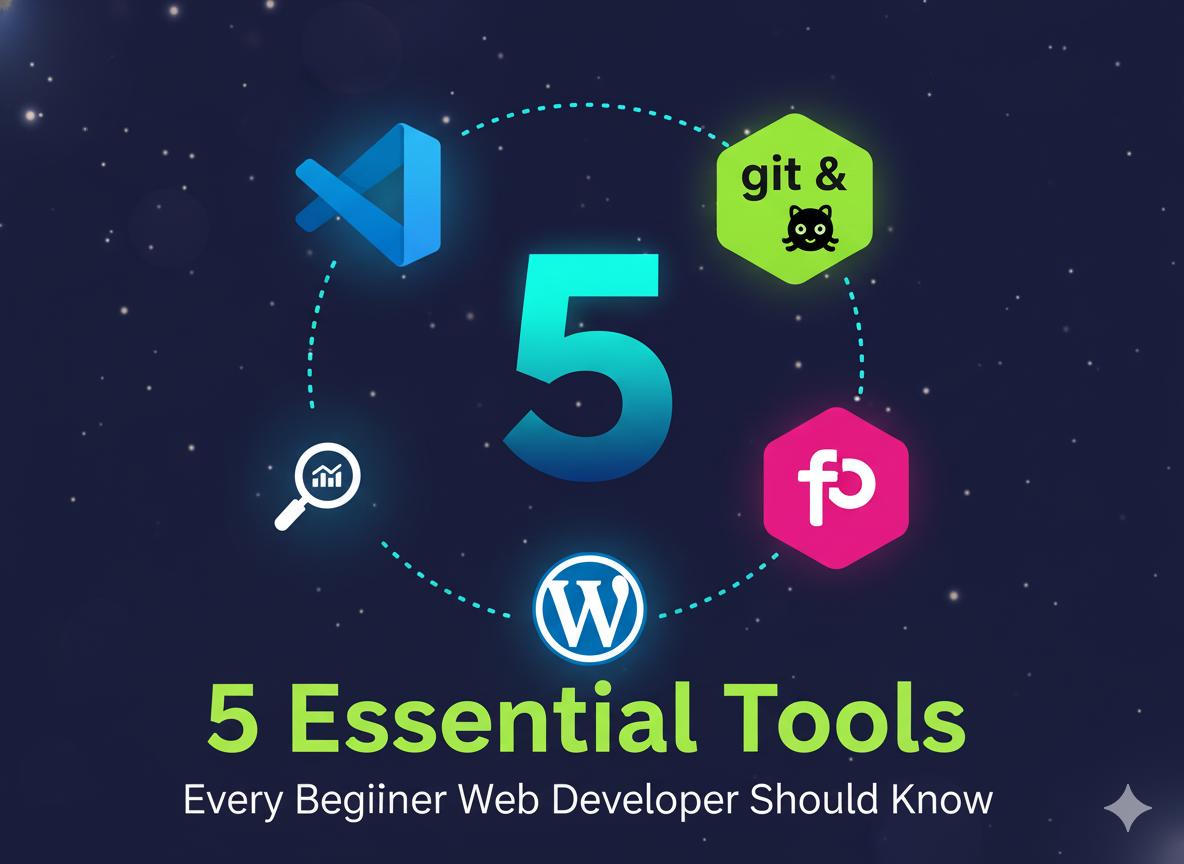
Becoming a web developer today is one of the most exciting career paths in the digital world. Whether you want to build personal websites, work for clients, or even launch your own startup, understanding the right tools is the first step to success.
The truth is, coding knowledge alone is not enough. Every professional developer relies on a powerful set of tools to code efficiently, design better, and manage projects smoothly. In this article, we’ll explore five essential tools every beginner should know. These tools are trusted by professionals and easy enough for anyone who’s just starting out.
1. Visual Studio Code (VS Code)
VS Code is a free and highly flexible code editor made by Microsoft. It supports multiple programming languages like HTML, CSS, JavaScript, and PHP, making it perfect for web developers.
With VS Code, you can:
- Install extensions to speed up your workflow
- Use built-in Git integration to manage your code versions
- Debug your code directly within the editor
For beginners, VS Code feels clean, lightweight, and easy to use. As your skills grow, the editor grows with you through plugins and customization.
2. Git and GitHub
Imagine losing your entire project because of one small mistake. That’s where Git and GitHub save the day.
Git helps you track every change you make in your code, while GitHub allows you to store your project online and collaborate with others. You can share your work, fix bugs, and even learn from other developers’ repositories.
Learning how to use Git and GitHub early will give you a strong foundation for teamwork and version control—skills every employer looks for.
3. Figma
Before you start coding a website, it’s important to design it first. Figma is a browser-based design tool that lets you create layouts, wireframes, and UI mockups.
What makes Figma special is that it allows real-time collaboration. You and your team can work together on the same design at once. It’s like Google Docs for web design!
Whether you are designing a portfolio or a company website, Figma helps turn your creative ideas into structured visuals before writing a single line of code.
4. Google Chrome DevTools
Testing your website is just as important as building it. Google Chrome DevTools comes built into the Chrome browser and allows you to inspect and debug your website instantly.
You can check:
- How your website looks on different devices
- CSS and JavaScript errors
- Page loading performance and responsiveness
With Chrome DevTools, beginners can quickly learn how browsers interpret code and fix problems in real time—an essential skill for every developer.
5. WordPress
If you want to build websites fast without diving deep into code, WordPress is your best friend. It’s a content management system (CMS) that powers over 40% of all websites in the world.
WordPress gives you access to thousands of themes and plugins, so you can create blogs, portfolios, or even e-commerce stores easily.
It’s perfect for beginners who want to start freelancing or launch a digital business.
Conclusion
Starting your journey as a web developer doesn’t have to be difficult. By mastering these five essential tools — VS Code, Git & GitHub, Figma, Chrome DevTools, and WordPress you’ll gain the skills to create, manage, and publish professional websites
Consistency and curiosity are the keys to growth. Keep exploring, keep coding, and soon you’ll be able to turn your ideas into fully functional websites that make an impact.
Hello